
Triaging unclassified tasks
The matrix places every task somewhere, even the ones nobody has actually judged yet. A task with no due date and no priority isn't really "not urgent and not important", it just hasn't been looked at, but the matrix still drops it into Eliminate. In a large vault those unjudged tasks pile up there and get lost.
The Triage view fixes that. It is a separate, deliberately spare screen that lists exactly the tasks no system has fully classified yet, and lets you place each one with a single click.
Why a second view?
The matrix is for working from a finished classification. Triage is for creating that classification, one task at a time. Keeping them apart means neither screen is overloaded.
Opening it
Run Open triage from the command palette (Ctrl/Cmd + P). It opens in the sidebar, alongside the main Focus First view.
What counts as "unclassified"
A task is classified for a system only once both of that system's axes have a signal:
- Eisenhower needs a due date (urgency) and a priority (importance), or a manual quadrant tag, which sets both at once.
- Value / Effort needs a value (a
#highvalue/#lowvaluetag, or a priority when priority is your value source) and a size (#s/#m/#l).
A single signal is not enough: a task with only a due date has its urgency but not its importance, so it still needs a decision.
The scope dropdown at the top chooses which backlog you work through:
| Scope | Shows tasks that are… |
|---|---|
| Unclassified | incomplete on either system (still missing any of the four axes) |
| Eisenhower | not yet fully placed on the Eisenhower axes |
| Value / Effort | not yet fully placed on the Value / Effort axes |
Working through the list
The list is flat and sorted by title. Each row shows the task title (click it to open the note) and small badges for whatever is already set (priority, due date, size, value tag), so you can see at a glance what a task still needs.
Hover a row (or tap it on mobile) to reveal the picker: a compact 2×2 quadrant matrix, laid out and coloured exactly like the main matrix. Click the quadrant the task belongs in and it's classified. In the Unclassified scope you get one matrix per system, so a single pass can place a task for both.
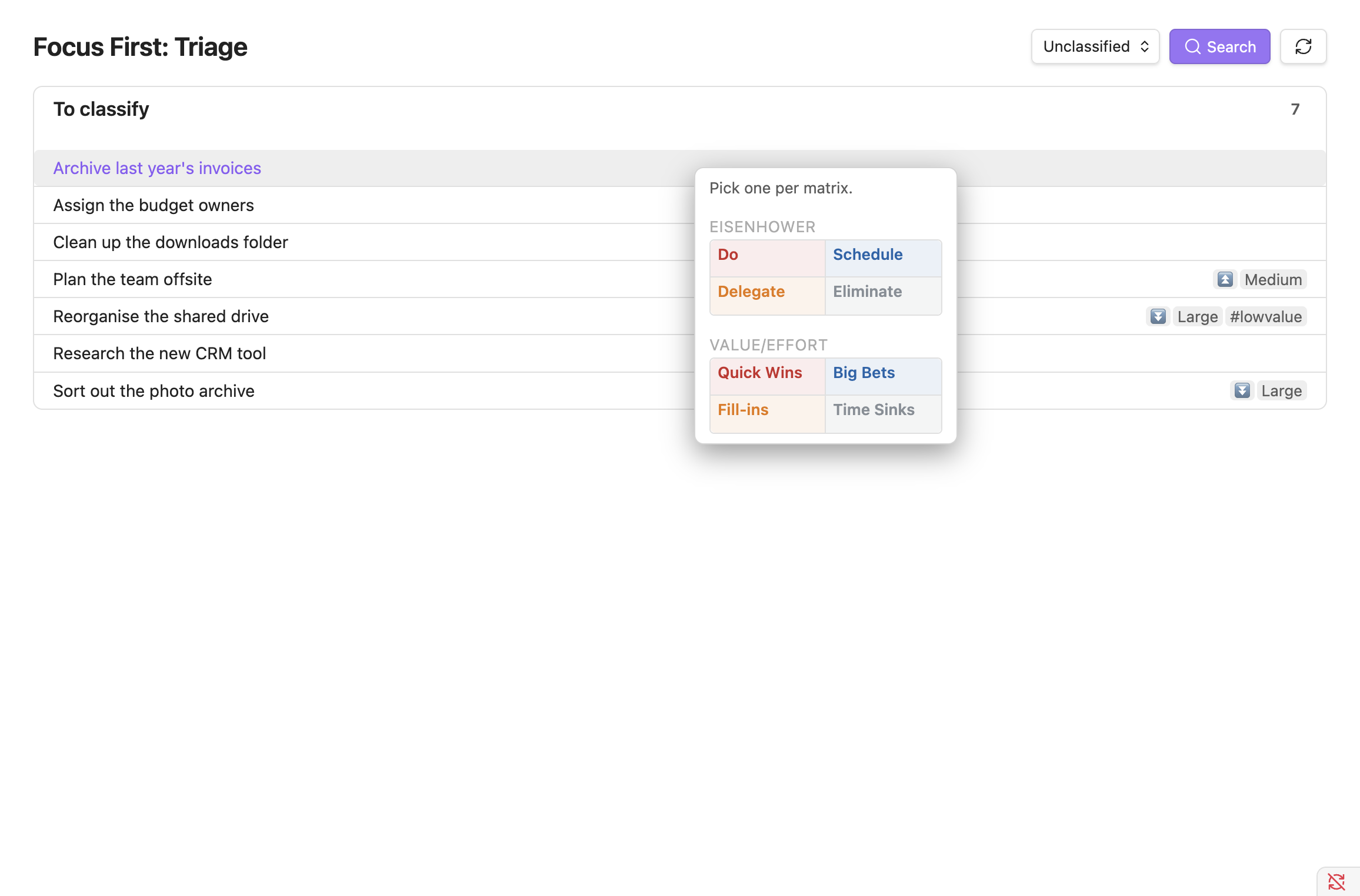
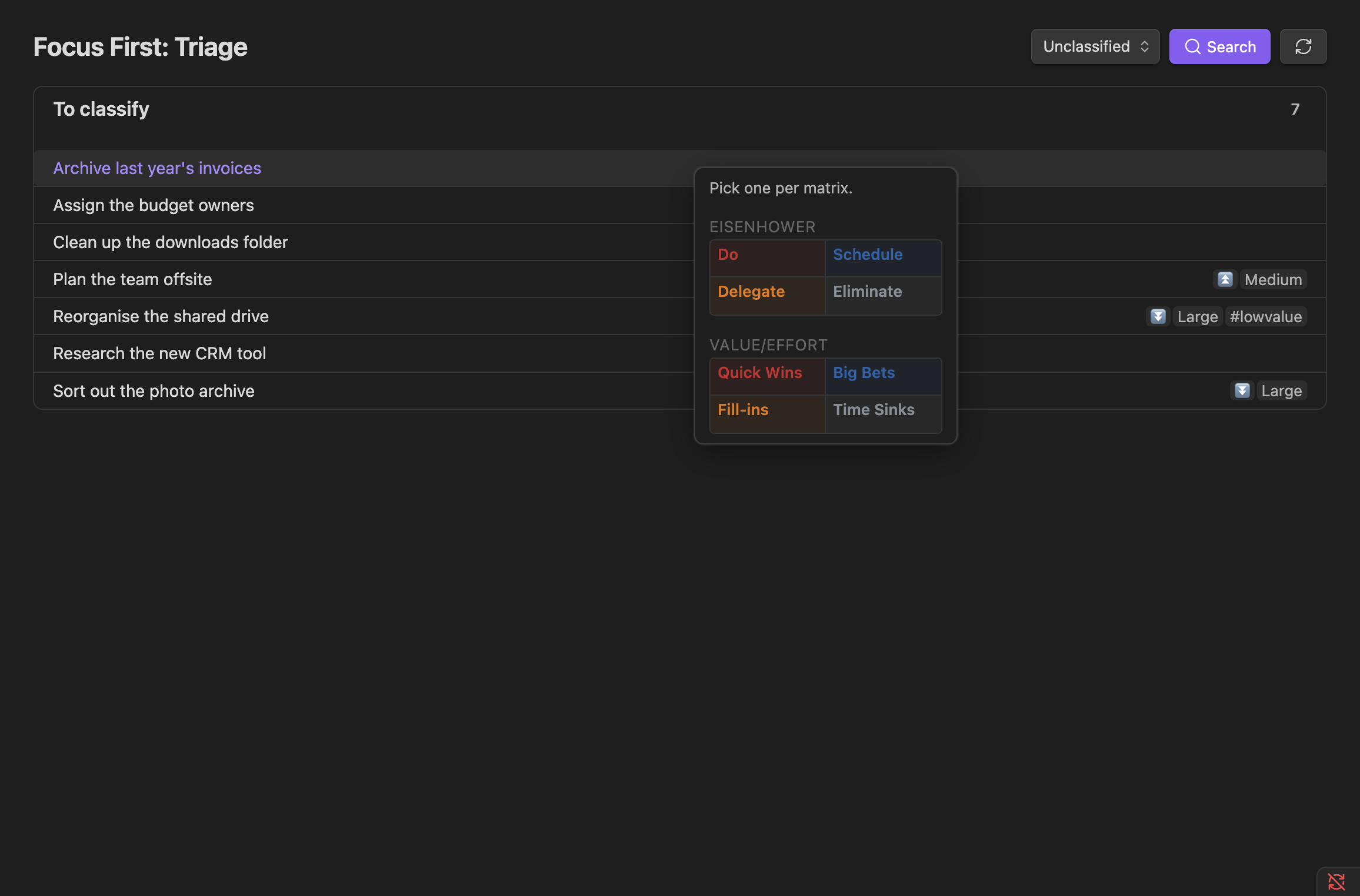
- Clicking an Eisenhower quadrant writes that quadrant's tag (
#do,#schedule,#delegate,#eliminate). - Clicking a Value / Effort quadrant writes the matching value tag plus a size tag.
- The quadrant a task is already in is marked with a check, so with both matrices shown it's clear which system still needs a choice.
- Every assignment shows a brief Undo.
A task leaves the list once it is fully classified for the scope you're in, so in Unclassified it stays until all four axes are set, which you can clear in one visit using both matrices.
No capture here
Triage has no Add button and its search is text-only. It's a place to sort what already exists, not to create or slice it. Use the main view for that.