
How tasks are classified
A task is considered urgent if it has a due date that is today, overdue, or within the configured urgency threshold (default: 3 days - adjustable in settings, 0–364 days).
A task is considered important if it carries one of the priorities selected in Important priorities (default: 🔺 Highest and ⏫ High).
| Urgent | Important | Quadrant |
|---|---|---|
| ✅ | ✅ | Do |
| ❌ | ✅ | Schedule |
| ✅ | ❌ | Delegate |
| ❌ | ❌ | Eliminate |
A task without a due date is never automatically urgent. A task without a priority (or with a priority not in your "important" list) is never automatically important - by default, only 🔺 and ⏫ count as important, while 🔼🔽⏬ do not.
Tasks with neither land in "Eliminate"
A task with no due date and no priority has no signal on either axis, so the automatic logic drops it into Eliminate, even though nobody has actually judged it. To surface and place those unjudged tasks deliberately, use the Triage view.
Why here?
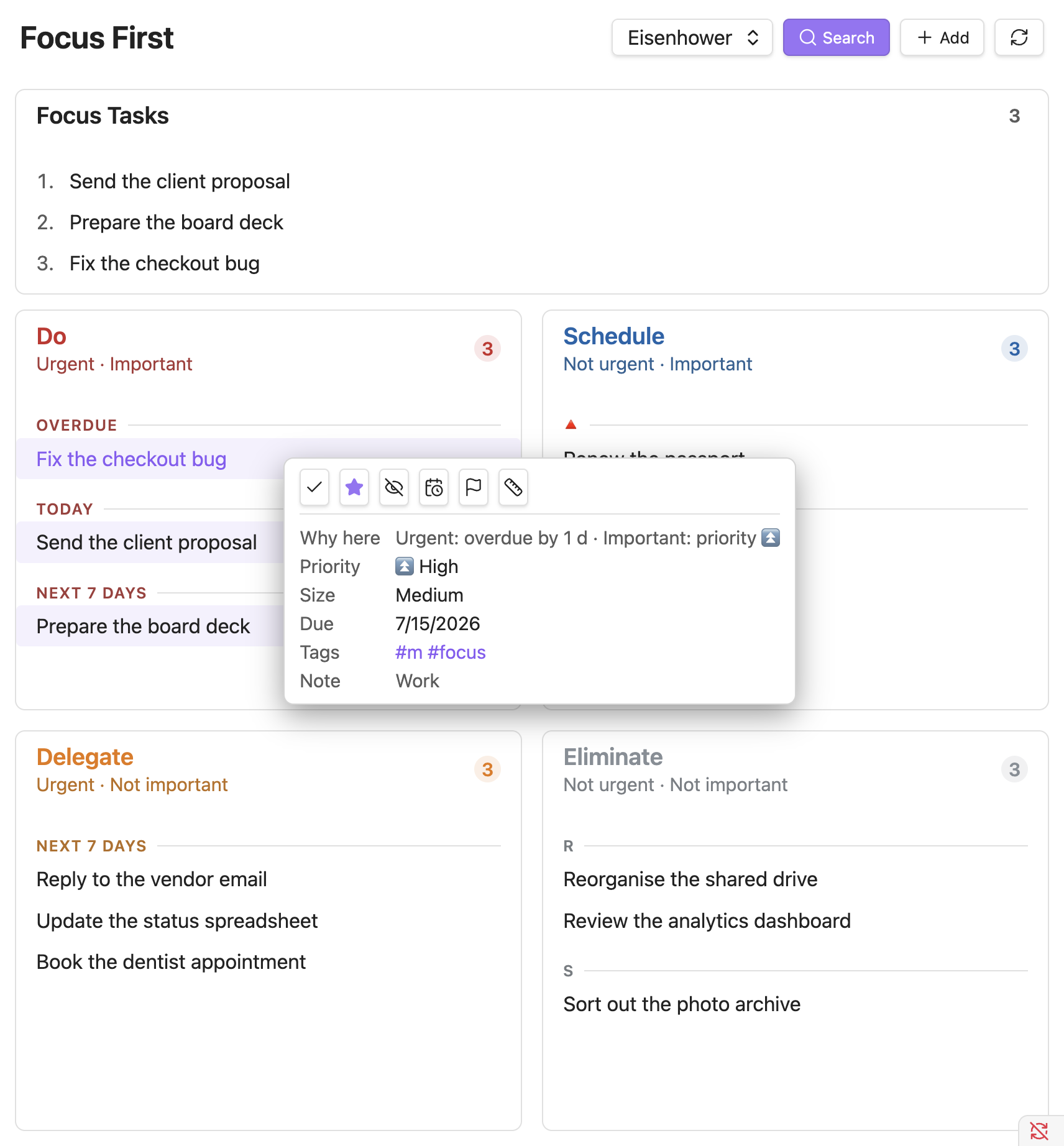
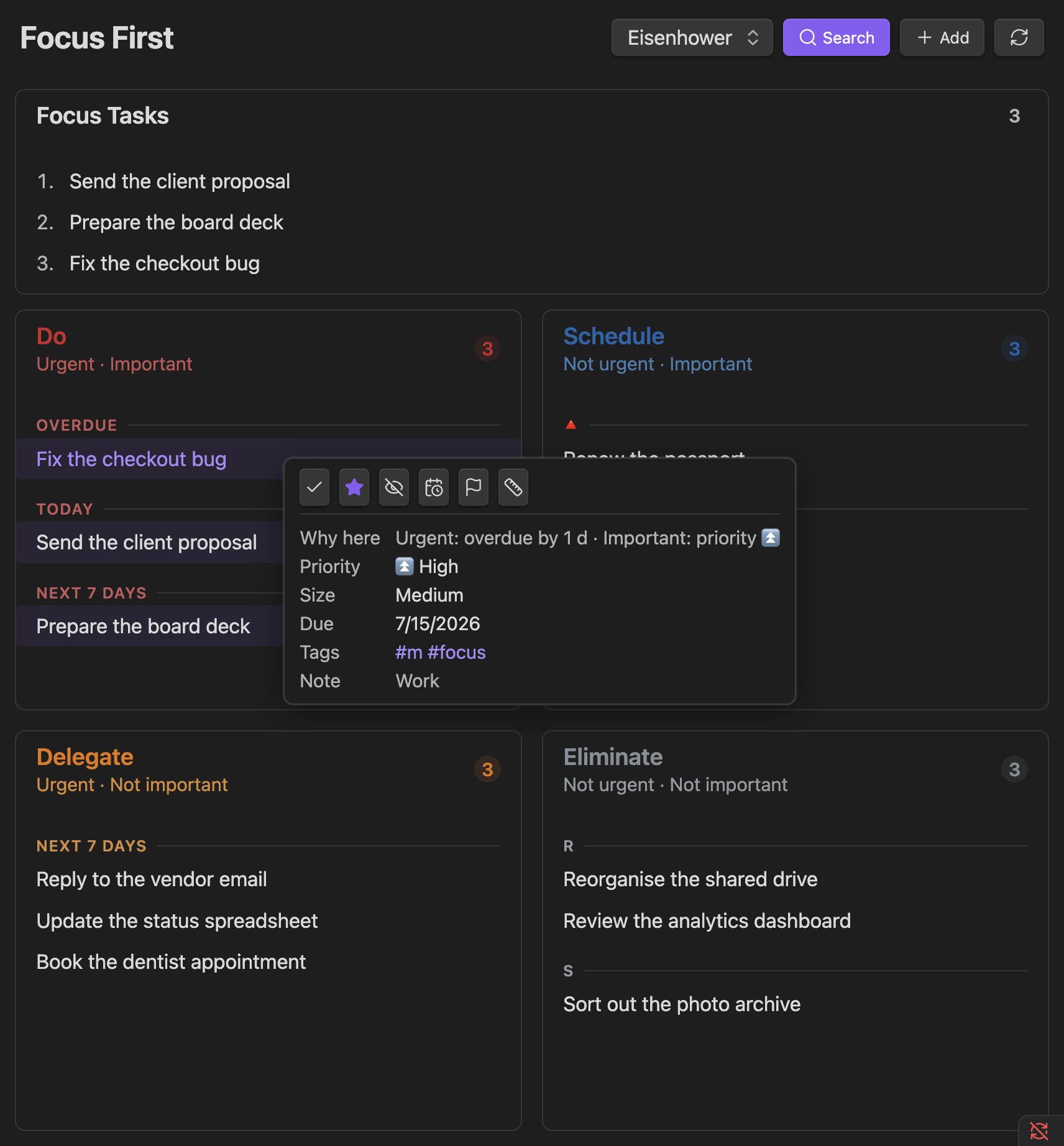
Hover a task (desktop) or tap it (mobile) to open its detail popover. It spells out the exact reason a task landed where it did, for example "Urgent: due in 2 d (≤ 3 d) · Important: priority 🔺", so the classification is never a black box.
Overriding the automatic classification
Each quadrant has a configurable tag (defaults: #do, #schedule, #delegate, #eliminate). Adding that tag to a task always places it in the matching quadrant, regardless of its due date or priority. This is useful for tasks that don't fit the urgent/important model - for example, a low-priority task you've manually decided needs immediate attention.
You can also drag a task between quadrants to re-tag it instantly.
Focus First isn't limited to Eisenhower - the same view also runs a Value/Effort matrix. See The two matrices.